
 Join our Discord
# 🪙 Forge Goldpanning
An immersive and interactive gold panning script for **RedM** featuring a custom minigame, multi-framework support, and multi-language localization.
---
## ✨ Features
### 🎮 Interactive Minigame
-
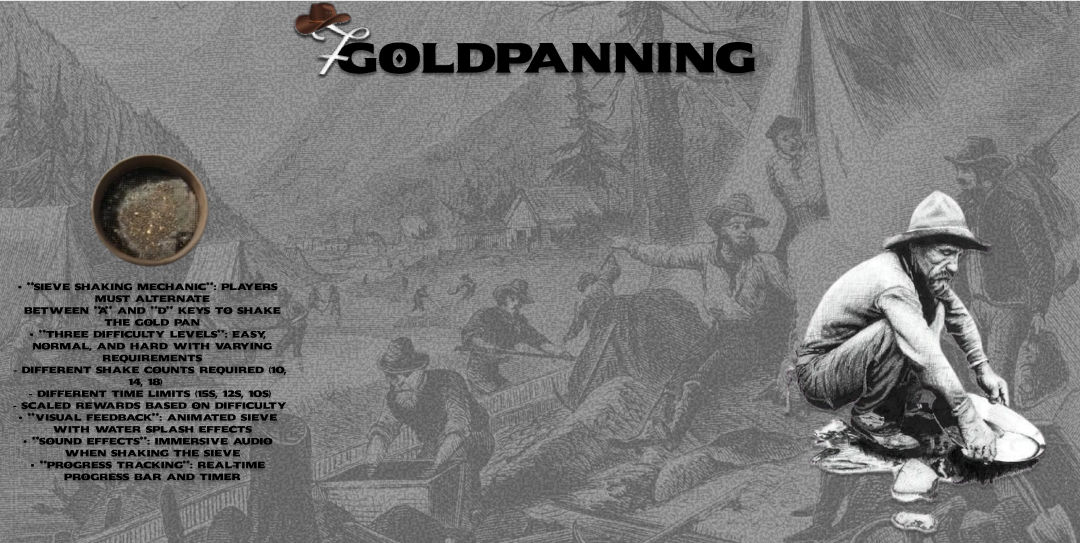
**Sieve Shaking Mechanic**: Players must alternate between **A** and **D** keys to shake the gold pan
-
**Three Difficulty Levels**: Easy, Normal, and Hard with varying requirements
- Different shake counts required (10, 14, 18)
- Different time limits (15s, 12s, 10s)
- Scaled rewards based on difficulty
-
**Visual Feedback**: Animated sieve with water splash effects
-
**Sound Effects**: Immersive audio when shaking the sieve
-
**Progress Tracking**: Real-time progress bar and timer
### 🌐 Multi-Language Support
Fully localized UI and notifications in **6 languages**:
- 🇹🇷 Turkish (tr)
- 🇬🇧 English (en)
- 🇸🇦 Arabic (ar)
- 🇧🇷 Portuguese (pt)
- 🇫🇷 French (fr)
- 🇪🇸 Spanish (es)
All UI elements including difficulty labels, instructions, timer, and notifications are fully translated.
### 🔧 Multi-Framework Support
Compatible with the most popular RedM frameworks:
-
**VORP Framework**
-
**RSG-Core**
-
**RedEM-RP**
The script uses an abstraction layer (`frameworks.lua`) to seamlessly work with any supported framework without modification.
### 🎨 Modern UI Design
- Minimalist Western-themed interface
- Custom fonts (Western, WesternBang, Mangabey)
- Smooth animations and transitions
- Black progress bar with white fill
- Responsive design
### 🛡️ Anti-Cheat Protection
- Server-side validation of water sources
- DevTools/injection detection
- Player state tracking to prevent exploits
- Webhook logging for suspicious activity
---
## 📋 Requirements
-
**RedM Server**
-
**Lua 5.4** support
- One of the supported frameworks:
- VORP Framework
- RSG-Core
- RedEM-RP
- **Required Item**: `goldpan` (or configured item name)
---
## 🚀 Installation
-
**Download** and extract the `forge-goldpanning` folder to your resources directory
-
**Configure** the framework in `config.lua`:
```lua
Config.Framework = "VORP" -- Options: "VORP", "RSG", "REDEMRP"
```
- **Set your language**:
```lua
Config.Locale = "en" -- Options: "tr", "en", "ar", "pt", "fr", "es"
```
- **Add to server.cfg**:
```
ensure forge-goldpanning
```
-
**Add goldpan item** to your framework's item database
-
**Restart your server**
---
## ⚙️ Configuration
### Basic Settings
```lua
-- Framework Selection
Config.Framework = "VORP" -- VORP, RSG, or REDEMRP
-- Language Selection
Config.Locale = "en" -- tr, en, ar, pt, fr, es
-- Required Item
Config.GoldPanItem = "goldpan"
```
### Difficulty Configuration
Each difficulty level can be customized:
```lua
Config.MinigameSettings = {
easy = {
shakesRequired = 10, -- Number of shakes needed
timeLimit = 15000, -- Time limit in milliseconds (15s)
reward = {
item = "gold_nugget",
min = 1,
max = 2
}
},
normal = {
shakesRequired = 14,
timeLimit = 12000,
reward = {
item = "gold_nugget",
min = 2,
max = 4
}
},
hard = {
shakesRequired = 18,
timeLimit = 10000,
reward = {
item = "gold_nugget",
min = 3,
max = 6
}
}
}
```
### Water Source Locations
Configure valid locations for gold panning in `Config.WaterTypes`:
```lua
Config.WaterTypes = {
[1] = { name = "Dakota River", waterhash = 0x56bcf1e8, watertype = "river" },
[2] = { name = "Upper Montana River", waterhash = 0x3287fcc6, watertype = "river" },
-- Add more water sources...
}
```
### Webhook Integration
Enable Discord webhooks for logging suspicious activity:
```lua
Config.Webhooks = {
['DEVTOOLS_INJECTION_CHEAT'] = {
Enabled = true,
Url = "YOUR_WEBHOOK_URL",
Color = 16711680, -- Red
Size = 128
}
}
```
---
## 🎯 How to Use
-
**Equip** the gold pan item (`goldpan` by default)
-
**Stand in water** at a valid gold panning location
-
**Use the item** to start the minigame
-
**Shake the sieve** by alternating between **A** and **D** keys
-
**Complete** the required shakes before time runs out
-
**Receive rewards** based on difficulty level
### Minigame Mechanics
- You must **alternate** between A and D keys (spam prevention)
- Fill the progress bar to 100% within the time limit
- Higher difficulties require more shakes in less time but offer better rewards
- Visual feedback shows shake animations and water splash effects
---
## 📁 File Structure
```
forge-goldpanning/
├── fxmanifest.lua # Resource manifest
├── config.lua # Main configuration + locales
├── framework/
│ └── frameworks.lua # Multi-framework abstraction layer
├── client/
│ ├── client_main.lua # Main client-side logic
│ └── client_functions.lua # Minigame functions
├── server/
│ └── server_main.lua # Server-side validation & rewards
├── ui/
│ ├── index.html # Minigame UI HTML
│ ├── style.css # Minigame UI styling
│ ├── script.js # Minigame UI logic
│ ├── elek.png # Sieve image asset
│ ├── effect.mp3 # Shake sound effect
│ └── fonts/ # Custom Western fonts
└── README.md # This file
```
---
## 🔐 Security Features
-
**Server-side reward calculation** prevents client-side manipulation
-
**Water source validation** ensures players are in valid locations
-
**Cooldown system** with player state tracking
-
**DevTools detection** with optional webhook alerts
-
**Anti-spam** alternating key requirement
---
## 🎨 Customization
### Changing Reward Items
Edit the reward items in `config.lua`:
```lua
reward = { item = "gold_nugget", min = 1, max = 2 }
```
Replace `"gold_nugget"` with your desired item name.
### Adding New Languages
1. Create a new locale file in the `Locales` section of `config.lua`
2. Add translations for all required keys
3. Update `Config.Locale` to use your new language
### UI Styling
Modify `ui/style.css` to customize:
- Colors and themes
- Progress bar appearance
- Fonts and typography
- Animations and transitions
---
## 🐛 Troubleshooting
### Minigame doesn't start
- Ensure you're standing in water at a configured location
- Check that the goldpan item is properly configured in your framework
- Verify the item name matches `Config.GoldPanItem`
### Localization not working
- Confirm `Config.Locale` is set to a valid language code
- Check that all locale keys are defined in `config.lua`
- Restart the resource after changing locale settings
### Timer not counting down
- This is a known issue that was fixed - ensure you have the latest version
- The timer element reference is properly cached after UI updates
---
## 📝 Credits
**Developer**: Forge Workshop
**Version**: 1.0.0
**Framework Support**: VORP, RSG-Core, RedEM-RP
**Languages**: TR, EN, AR, PT, FR, ES
This resource is licensed for use on a single server/community.
For licensing inquiries, please contact the developer.
**Enjoy realistic gold panning in the Wild West! 🤠⛏️**